


Turbo Cleaner - Junk Clean
3.866.00 Reviews
App Specs
- Version
- V1.0.3
- Updated On
- License
- Free
- Downloads
- 1,000,000+
- Developer
- CN CodeHub
- Categories
- Tools
- Platform
- Android
Screenshots
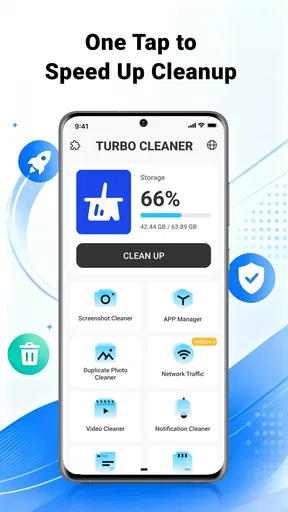
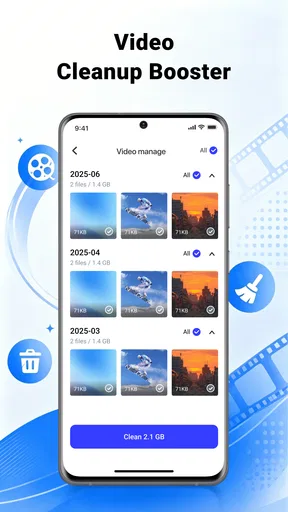
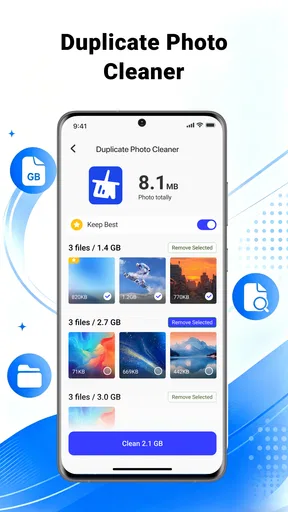
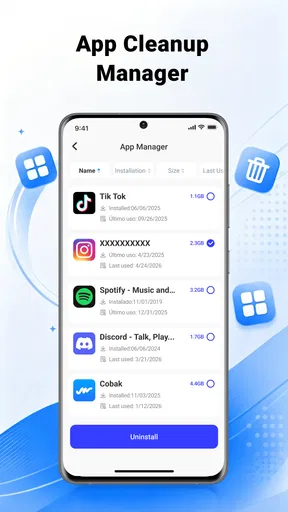
 Analysis by AppCompare
When my phone starts feeling crowded, I want a cleaner that helps me find what is taking up space without turning the job into a technical project. Turbo Cleaner is a free tools app from CN CodeHub, aimed at clearing unwanted clutter and bringing photos, videos, and files into better order. Its appeal is straightforward: it focuses on routine housekeeping rather than promising a dramatic speed boost. I’d consider it when I need a simpler way to review a messy device, while keeping in mind that any cleanup app is only as useful as the choices it helps me make.
Who benefits from a focused cleanup routine
I see the best fit as someone whose phone is not necessarily broken, but whose saved material has become difficult to navigate. A person who takes plenty of photos, downloads documents for errands, or saves clips to watch later may value having a dedicated place to review the pile. The point is not to chase a perfect storage number; it is to make it easier to notice what can go and what should stay.
That distinction is especially useful for people who share a phone or rely on it for both personal and work tasks. A single device can hold family pictures beside receipts, forms, and temporary files, so a quick sweep based on appearance alone is risky. I would treat the app as a prompt to inspect material, not as permission to remove anything I have not identified. If I mostly keep a tidy camera roll and rarely download files, a new cleaner may simply add another stop to my routine.
For a practical example, imagine I have a few minutes before leaving home and realize that a phone is too full for the photos I planned to take. Rather than deleting the first large item I see, I would use that moment to look for files I recognize as disposable, such as an old download I no longer need. Anything tied to a trip, appointment, or ongoing task can wait until I have time to check it properly. That makes the tool more useful under everyday pressure without turning speed into carelessness.
What a quick cleanup can realistically do
I’d use a quick cleanup as a chance to spot files I already know I no longer need, rather than expecting a sweeping change in how the phone performs. Sorting one kind of material at a time can make the decision safer, especially when photos and practical documents share the same device. That realistic starting point also helps set expectations for the speed benefits that follow.
Speed expectations: less clutter, not a new phone
The word “turbo” can set expectations too high. Removing unnecessary files may free storage and make it easier to manage a device, but it does not automatically make every phone faster. If an app is slow because of an old processor, limited memory, or a weak connection, clearing files is unlikely to solve the underlying problem. I’d judge Turbo Cleaner by whether it helps me identify and organize items I’m comfortable removing, not by expecting an instant performance transformation.
That distinction matters because the app’s stated focus is cleanup and organization. It is a phone maintenance tool, not a substitute for troubleshooting a sluggish app or upgrading an aging device. I would use it when storage pressure is the practical issue: for example, when a camera roll has accumulated duplicate-looking shots, large videos, and old downloads that I no longer need. The benefit in that situation is a more manageable device and more room for new files, rather than a guaranteed change in launch speed.
Worth Reading Before You Choose

EA SPORTS FC Mobile 26 Is a Bigger Football Game, but It Takes Time

Flipboard Shows What News Apps Must Do Beyond the Feed

Switching to Android Auto Means Rethinking Your Driving Routine

Google Calendar Makes a Crowded Week Easier to Manage

Ludo King Makes the Most of the Minutes Between Plans

Baby Panda World Brings Quick Play to Modern Phones, but Its Game Library Feels Busy
Turbo Cleaner is currently at version V1.0.3. That gives me a useful point of reference when deciding whether to try it, but a version number alone says little about how it will behave on every phone. I’d start with a modest cleanup and observe how the app handles my files before making it part of a frequent routine. Small, deliberate sessions are easier to review than a sweeping deletion carried out in a hurry.
Where the app fits among cleanup options
Most phones already include some storage-management tools, and those built-in options are often the best first stop for people who only need to remove a few obvious items. A dedicated cleaner can be more convenient when I want one place to look across photos, videos, and files, but it also asks me to trust its presentation of material that may be personal or important. That trade-off is central to using Turbo Cleaner: convenience is worthwhile only if I stay in control of what gets removed.
I would not assume that a cleaner needs to run constantly in the background to be useful. For many people, occasional, intentional reviews are safer and less distracting than treating cleanup as a daily ritual. If my phone’s own storage screen already makes large files easy to locate, using that familiar tool may be enough. Turbo Cleaner makes more sense when I prefer a separate housekeeping workflow and am willing to inspect suggestions instead of treating them as automatic instructions.
Heavy-use moments: sort before you delete
The most useful time to open a file-organizing app is often after a burst of activity, not in the middle of it. Imagine returning from a weekend trip with a crowded camera roll: several similar pictures, a few clips worth keeping, and screenshots that were only meant to be temporary. I’d first sort through the photos and videos, keep the moments I care about, and only then consider removing the obvious leftovers. That order reduces the chance of deleting something meaningful just because I want space quickly.
A practical habit is to work in categories rather than trying to clean everything at once. I’d review photos in one sitting, videos in another, and general files separately. This makes it easier to notice when an item belongs to a project, a conversation, or a trip that is still active. It also gives me a natural stopping point: if I’m unsure about a file, I can leave it for later instead of letting a cleanup session become a rushed attempt to reclaim every possible bit of space.
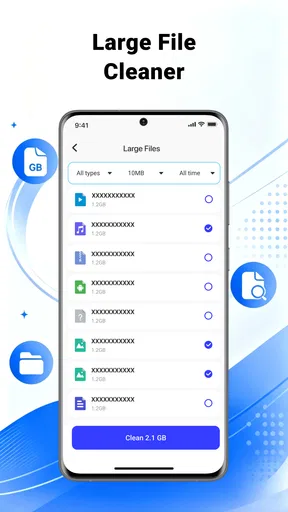
There is another useful trade-off when cleaning media: a large video can take up more room than a collection of small documents, but it may also be the only record of an important event. I’d prioritize files by whether I still need them, not just by how large or easy to remove they appear. For anything I might regret losing, I’d make sure I have a separate copy before deletion. A cleaner can help me organize the decision; it cannot decide what has personal value.
For downloads and miscellaneous files, I’d use a similar review rule. Old items are not automatically junk: a document may be needed for work, travel, or a future appointment. If I cannot identify a file at a glance, I would open or rename it before removing it. This may take longer than tapping through a broad cleanup, but it is a better fit for anyone who stores important material alongside temporary downloads.
Reliability: the value of a careful workflow
I think reliability here should mean predictable, understandable cleanup—not simply a large number of files removed. Because the app deals with photos, videos, and files, I’d pay attention to the review stage and make deletion decisions deliberately. I would begin with items I can confidently recognize, then pause to check anything ambiguous. That approach is useful with any cleaner, especially when the phone holds both disposable downloads and irreplaceable personal media.
Before a substantial cleanup, I’d also check that important photos and documents exist somewhere else if losing them would matter. This is not a claim about a particular backup feature; it is a sensible safeguard for any tool that helps remove files. The same caution applies when sharing a device with family or using it for work. A file that looks old to one person may be essential to someone else, so a quick conversation or a manual check can prevent an avoidable mistake.
Turbo Cleaner has an average rating of 3.8 from around 2.3 thousand ratings, with 66 written reviews, and it has over one million installs. I see that as a sign that people are trying it, not as proof that it will suit every device or cleanup style. Those figures are useful context, but my own recommendation would still depend on whether its organization approach feels clear and whether I can comfortably review items before acting.
Device constraints and who should skip it
The app is listed for Android 7.0 and later, so a phone running an older system is outside its stated compatibility range. Even on a supported device, available storage and general device condition shape what a cleaner can accomplish. If a phone is nearly full, the first cleanup may be more consequential than later maintenance; if storage is not a problem, there may be little reason to install another utility. I would check the phone’s own storage controls first when I only need to identify a single large file.
It is rated for Everyone, which makes it broadly positioned for general audiences, but that does not remove the need for careful file review. I would be especially cautious if a child, older relative, or less technical user might tap through cleanup prompts without understanding what will be removed. In that case, I’d help them review the results rather than treating the app as a set-and-forget solution.
I’d also skip a dedicated cleaner if my main goal is to diagnose battery drain, fix a network problem, or make a very old phone behave like a newer one. Those are different problems, and file organization is not a reliable answer to them. Someone who already knows how to use their phone’s built-in storage manager may not gain enough convenience to justify adding another tool. For a person who wants a more unified place to work through photos, videos, and files, though, Turbo Cleaner is more relevant.
CN CodeHub’s app is free, which lowers the barrier to trying it, but I would still make installation decisions based on utility rather than price alone. A free app still occupies space and adds another interface to learn. I’d keep it only if its cleanup flow saves me effort or helps me stay organized; if I find myself avoiding it or repeating the same checks in the phone’s own settings, the built-in option is probably the better fit.
Performance verdict: useful as a measured housekeeping tool
My view of Turbo Cleaner is positive but deliberately practical. I like the focus on several kinds of clutter rather than treating phone maintenance as a magic speed switch. Its strongest use case is a person who wants to make regular, considered passes through photos, videos, and files, especially after a busy period of taking pictures or downloading material. The best results come from a clear workflow: review, keep what matters, and remove only what I can identify.
I would not recommend relying on any cleaner to make broad decisions for me or expecting it to solve performance problems unrelated to storage. The app is most convincing when used as an organizer that supports my judgment, not as an automatic fix. If I’m in a hurry, I’d clean only the items I recognize with confidence and return to uncertain files later. That small restraint is more valuable than chasing a bigger cleanup total.
Overall, Turbo Cleaner is worth considering if your phone’s photos, videos, and loose files have become harder to manage and you want a dedicated tool for a careful review. It is less compelling if the built-in storage manager already does the job, or if you expect a cleaner to repair unrelated device slowdowns. With a 3.8 average and a general-audience rating, it has a visible user base, but the right choice still comes down to your habits. I’d try it for occasional housekeeping, keep deletion decisions in my own hands, and judge it by whether it makes that routine clearer.
Pros
- Simple interface makes common cleanup tools easy to find.
- Can help free storage by locating unnecessary files.
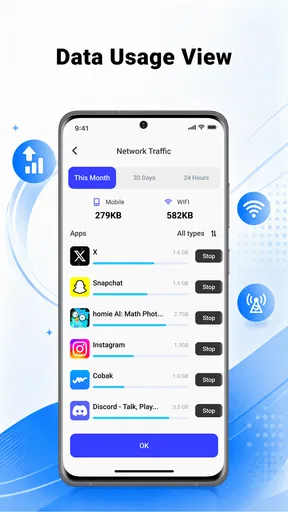
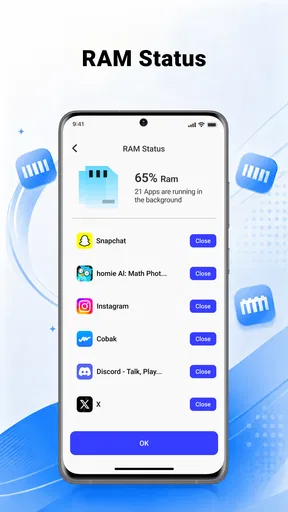
- Includes tools for managing large files and installed apps.
- Quick scans provide a convenient overview of device storage.
- Useful for occasional maintenance without extensive setup.
Cons
- Cleanup suggestions may require checking before deleting files.
- Some features may be limited or gated by ads or upgrades.
- Results depend on Android's access permissions and device settings.
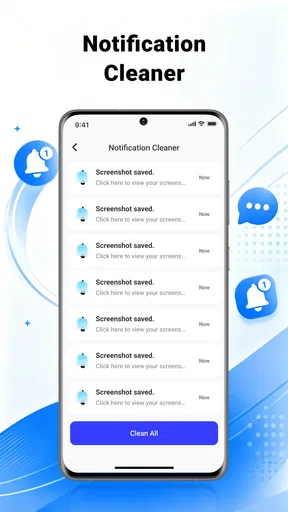
- Frequent notifications can make the app feel intrusive.
- Cleaning junk does not necessarily improve phone speed or battery life.
FAQs for Turbo Cleaner - Junk Clean
What is Turbo Cleaner - Junk Clean, and what does it do?
Turbo Cleaner - Junk Clean is a phone-cleaning utility intended to help users find and remove unnecessary files, such as cached data and leftover items from apps. Depending on the device and the features available in your version, it may also offer tools for reviewing storage or managing other aspects of phone performance. It is best viewed as a way to identify potential clutter, rather than a guarantee that your phone will become faster.
Can Turbo Cleaner safely delete files without removing anything important?
No cleaner can reliably determine that every file is unimportant in every situation, so review what the app proposes to remove before confirming a cleanup. Cache files are often recreated by apps, but deleting other files could affect downloads or content you want to keep. Check the selected categories and any file lists carefully, and avoid removing personal documents, photos, or app data unless you have verified that you no longer need them.
Does Turbo Cleaner - Junk Clean really make a phone faster or improve battery life?
The app may help free storage by identifying removable clutter, which can be useful when a phone is running low on space. However, cleaning files does not necessarily improve speed or battery life, and the results vary with the device, operating system, and apps installed. Some cached data may simply be recreated after removal. Treat performance or battery claims as possibilities, not guaranteed outcomes, and compare how your phone behaves afterward.
Is Turbo Cleaner - Junk Clean free, and does it include ads or in-app purchases?
Pricing, advertising, and optional paid features can vary by platform, app version, region, and current store listing. Before installing, check the Google Play Store or Apple App Store page for details about ads, in-app purchases, subscriptions, and any trial terms. If you try a paid feature, review its renewal and cancellation conditions in the relevant store account settings so you understand what you may be charged.
What permissions and privacy details should I check before installing Turbo Cleaner - Junk Clean?
A cleaning app may request access to storage or other device information so it can scan files and present cleanup suggestions. The exact permissions depend on your phone and the app version; grant only those that make sense for the feature you intend to use. Before proceeding, read the store listing’s data-safety information and the app’s privacy policy, and check whether permissions can be limited or revoked in your device settings.


